Showing posts with label Tungsten. Show all posts

Tuesday, March 04, 2008

Carolyn's Purple Tulips

Carolyn ran into one of the dilemma's we photographer's often face. While shooting indoors without a flash, her image came out amber colored. This is a sure sign the image was taken with either AWB (auto white balance) or one of the outdoor white balance settings, like daylight, cloudy or shade.

To correct this amber color cast while shooting, one could:
  • use a flash. however, this would result in an image without the nifty shadows and highlights; the moodiness of the image would be less.

  • set the white balance (WB) button to an indoor light setting, such as tungsten or fluorescent.

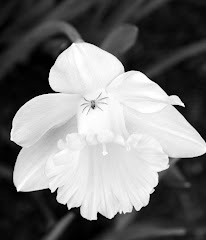
I am often asked if you can color correct an image. The answer is "sort of". Below is Carolyn's image corrected, as well as the corrected version of Alexa's tungsten image. In both cases, it was possible to neutralize the shadow (black) and highlight (white) parts of the image. In both cases, this resulted in a few odd color casts in other parts of the image. In Carolyn's image, the bowl became knock-your-socks-off blue and had to be cut back using the saturation tool. With Alexa's image, the brightest parts of the daffodils got bluish highlights as well.

The moral?? Try to set your white balance for your light source while you are shooting. It is much easier and less frustrating than trying to correct after the fact.


Alexa uses different light sources

The image below was shot indoors with camera set to "shade" white balance. The overall amber color of this image is commonly seen when images are:
  • Shot with AWB inside without a flash
  • Shot with Daylight, Cloudy or Shade white balance indoors without a flash

To correct or neutralize the image, one could:

  • Shoot with a flash
  • Shoot without a flash and set the white balance to match the interior light source (tungsten or fluorescent)
The image below was shot indoors without a flash, using tungsten white balance. Visual clues as to the camera's settings:
  • Shadows are being cast from the upper right, indicating that the light source is not from the same direction as the camera.
  • Soft, low contrast lighting. Suggests that the light source is fairly diffuse, such as an overhead fixture. Doesn't have the harshness of a flash used close-up.

A suggestion I would have to improve the intensity of the image using a Nikon slr would be to go to the camera menu setting, choose Optimize image and increase your saturation (you would find this on the custom optimized choice)

The image below was shot indoors using flash. The clue that it was shot with flash are the shadows behind the daffodils. Because the flash was more intense than the room light it created shadows. The position of the shadows indicates the light source was in line with the camera, the usual position for a flash.

The primary way of cutting the intensity of the shadows would be to go to your S mode and set the shutter speed to a longer time. This image was shot at 1/60 second. At 1/15 sec (4x as long) the shadows would be negligible. 1/15 sec is the shutter speed of the available light image above. It would be interesting to see if the color intensity of the above image would be greater with the addition of the flash. The downside of this test is the possibility of having incompatible light sources with both flash and tungsten.